Choose your photo
Use one clear photo of an adult facing the camera. Choose a photo you have permission to transform.
Meet your tiny dancing double. Rumpelstiltskin AI Video Generator turns one photo into a fairy-tale dance starring two versions of you.
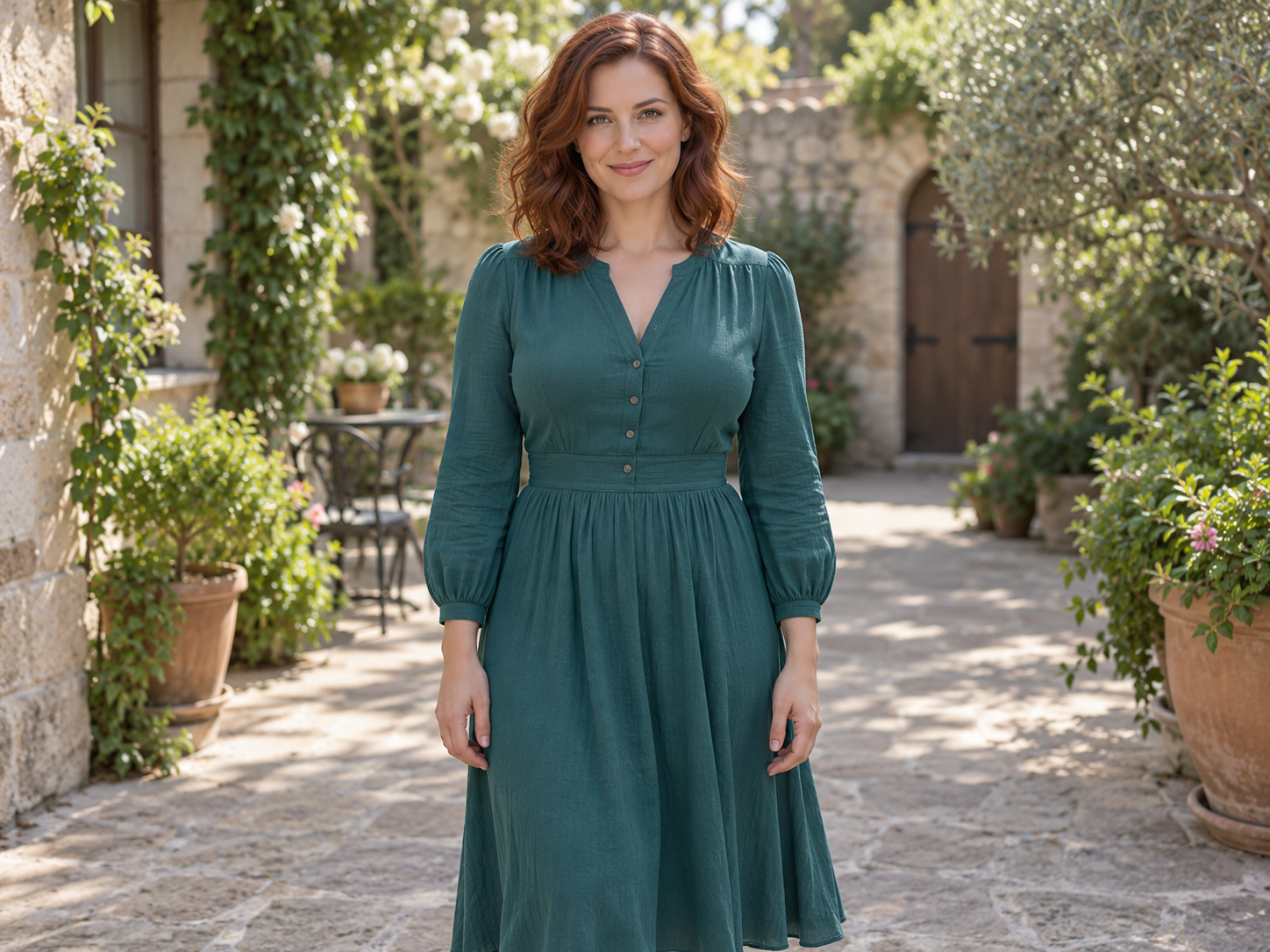
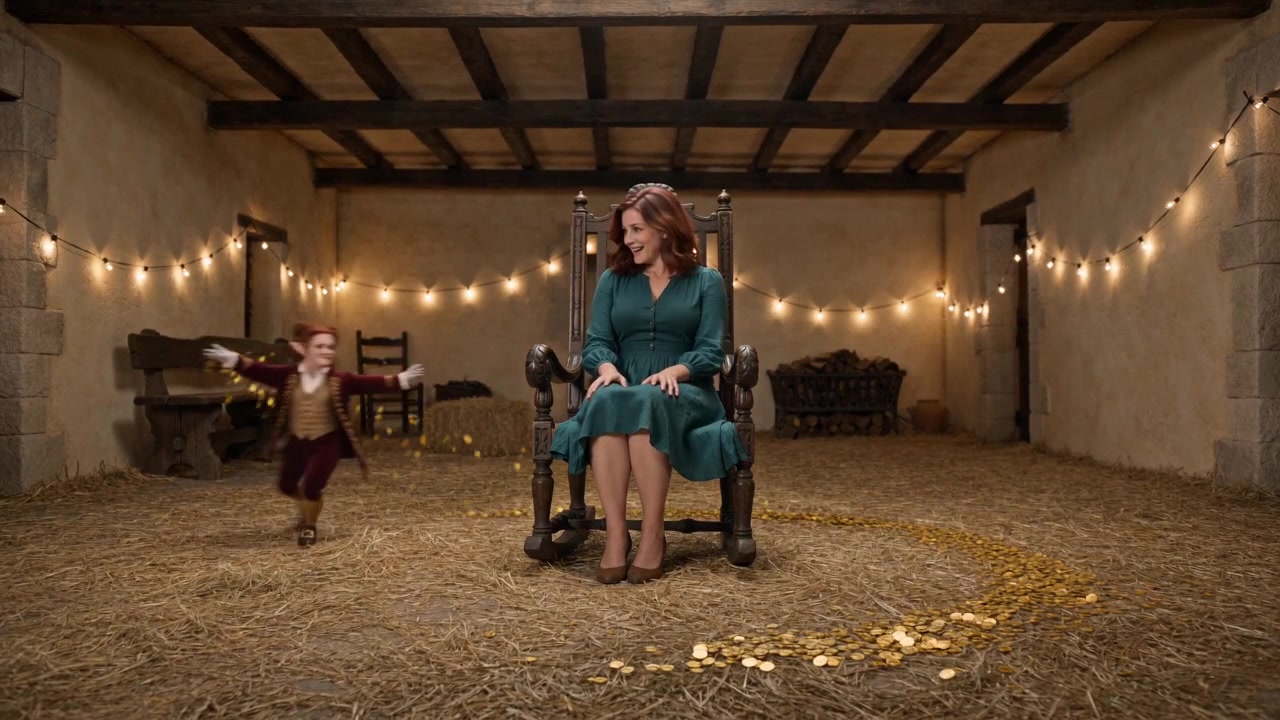
Previously generated example using the photo shown. This is not a preview of your uploaded photo. Your video will have newly generated music and sound; faces and movements can vary.
These examples show earlier outfits. Choose your character for your video’s outfit and body shape.
Use one clear photo of an adult facing the camera. Choose a photo you have permission to transform.
Pick a character and dance, then choose 480p or 720p and portrait or landscape. Check the credit cost before you start.
Sign in and generate your video. Watch the finished dance with sound, then save the MP4 from My studio.
The Rumpelstiltskin tiptoe meme is an AI-generated fairy-tale scene featuring a tiny dancer and a watching character. Its old-film look led viewers to confuse it with the 1987 Rumpelstiltskin movie. This studio lets you create a new dance starring two versions of yourself. Read the meme’s origin and original post for the background.
Choose one clear adult photo, pick your character’s outfit and body shape, then preview and select a dance. Choose 480p or 720p and portrait or landscape, sign in and check the credit cost before generating. The studio supplies the scene and movement instructions; you do not need to write a prompt or edit a timeline. Follow the photo-to-dance video guide for the full steps.
Use one sharp, well-lit photo of an adult facing the camera, with the face and hair clearly visible. Choose JPG, PNG or WebP, up to 10 MB. Avoid group photos, heavy filters, sunglasses and anything covering the face. Upload your own photo or one you have permission to transform. The character choice supplies the fairy-tale outfit; your photo supplies the face and hair for both roles.
In a two-photo generator, assign one clear solo portrait to the dancer and the other to the spectator. Choose the scene, check the video format and price, then generate and review both faces before sharing. Use photos you have permission to transform.
This studio accepts one adult photo for both roles: you at normal size and your miniature fairy-tale dancer. Uploading a second person’s photo or assigning a different face to each role is not supported here. You can still choose the dancer’s character and a dance template to make your version.
The studio shows the selected dance’s credit cost before you generate. Each started 5 seconds costs 50 credits at 480p or 100 credits at 720p. An 8-second dance uses 100 credits at 480p or 200 credits at 720p. A 15-second dance uses 150 credits at 480p or 300 credits at 720p. Credits are sold in one-time packs. Check the current credit packs and prices and the total shown before purchasing; the pack price is not a separate charge for every video.
Some services offer free previews or template editors while charging for personalized AI generation or downloads. Check whether a free offer includes creating your own video, downloading it and removing any watermark.
Here, you can watch complete dance examples for free without uploading a photo or signing in. Sign in with an email code, without setting a password. Receive 150 welcome credits once per account, valid for 48 hours. From the following UTC date, get 50 credits on each day you sign in; daily credits expire at the next 00:00 UTC and do not roll over. Missed days cannot be claimed later. Your welcome credits cover one 15-second 480p video. Trial-funded videos include our domain watermark if you have no qualifying purchase. Additional credits are available in paid packs. Choose a photo, character and dance; the studio creates the scene with new music and sound, so you do not need to edit clips on a timeline. Adding captions or a particular trending song afterward is optional.
Completion time varies with the video service and any required review, so there is no fixed wait-time guarantee. The studio shows progress from photo checks through video creation and download preparation. You can leave and return to My studio after signing in to check the existing request. A task that is still processing does not need to be submitted again.
Your photo guides the face and hair of both characters, while the chosen character supplies the dwarf’s outfit and build. The dance template guides the scene and performance. Each result is newly generated, so likeness, expressions, movements and framing can vary. Watch the full example before choosing, then check both faces and the complete movement in your finished video before sharing.
Your finished video includes newly generated music and sounds, such as footsteps and room ambience. It does not reuse the example’s soundtrack or Riff Raff’s “Tip Toe Wing in My Jawwdinz,” often searched as “Tip Toeing in My Jordans.” To use that particular song, choose it from your posting app’s music library where available. Learn more about the song behind the tiptoe meme.
Download the completed video as an MP4. Choose landscape 16:9 or portrait 9:16 before generating; the selected dance shows its output length. Save the file from the result panel or My studio, then upload it to TikTok, Instagram Reels, YouTube Shorts or a chat. Private result files are available for up to 24 hours, so download yours before it expires.
A confirmed failed or unreleasable video returns eligible reserved credits with their original expiry. A pending task or a temporary status-check error is not a confirmed failure; check the existing request in My studio before starting another. Credit returns and refunds of a payment are separate. See the refund policy or contact support with the task details if you need help.
Choosing a photo first shows a preview on your device. Starting generation uploads it for processing and content review by the services needed to create your video. Uploads and generated files are stored privately for up to 24 hours; they are not added to the public examples. Only use photos you have permission to transform, and read the privacy policy for file handling and other record-retention details.